Tomelo Widgets
Weather, time and calendar on your home screen.
33 widgets for Android that follow the sun. After sunset they turn to night, at sunrise back to day. You set them up once in the app, and they all share one look.
- No account. No tracking. No ads.
- Only the weather goes online
- One payment. No subscription, ever.
- Android · 10 languages
33 widgets in 7 families
One app, many sizes. The app itself is only for settings: your places, colours and formats. The widgets live on your home screen.
The pictures show the widgets in English. On your phone they use the language you choose.
Sky
1 widget · 4×2
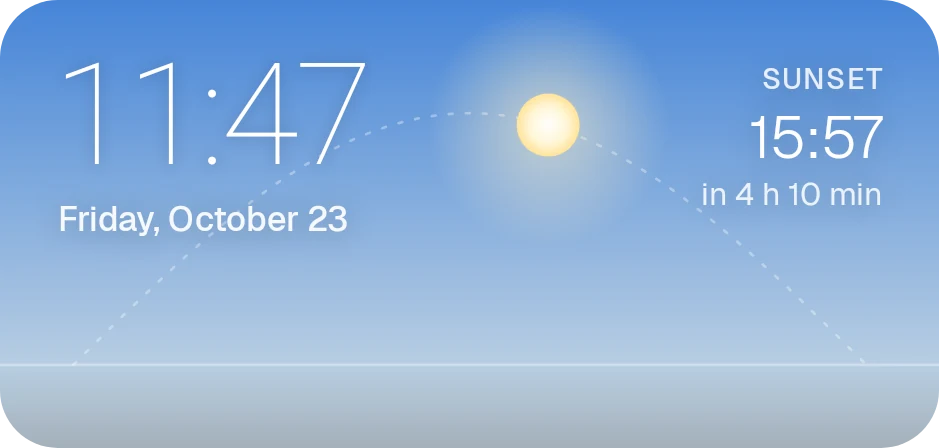
The time on a live sky that changes through the day. The sun moves along its path, with the times of sunrise and sunset. At night, stars.
Weather
3 widgets · 4×2, 2×2, 4×1
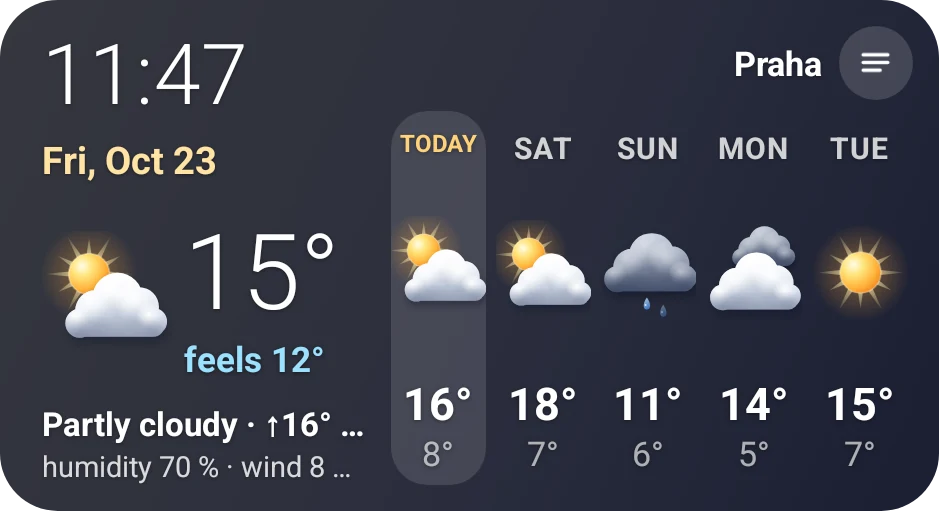
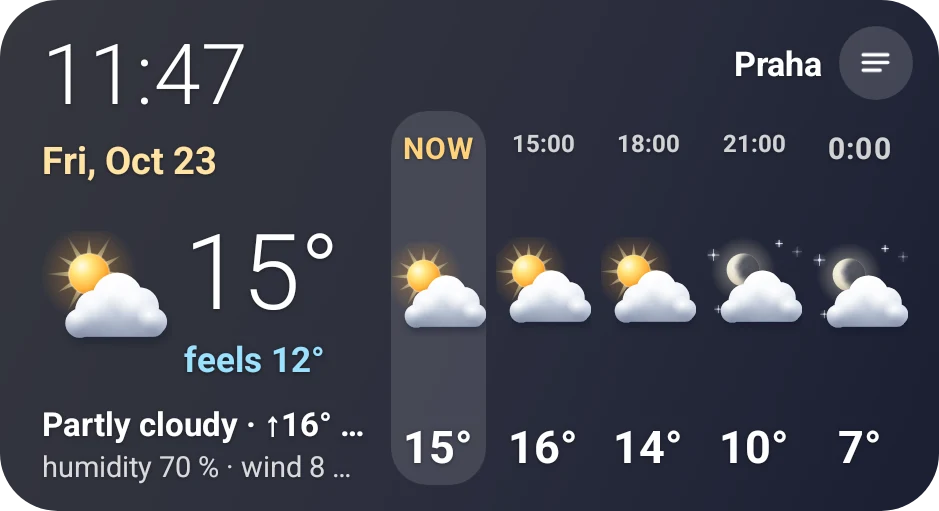
Temperature, feels-like, humidity and wind, and five days ahead. Tap Today to see the day hour by hour. Tap anywhere else to switch to your next city.
Calendar
8 widgets · from 2×2 to 4×4
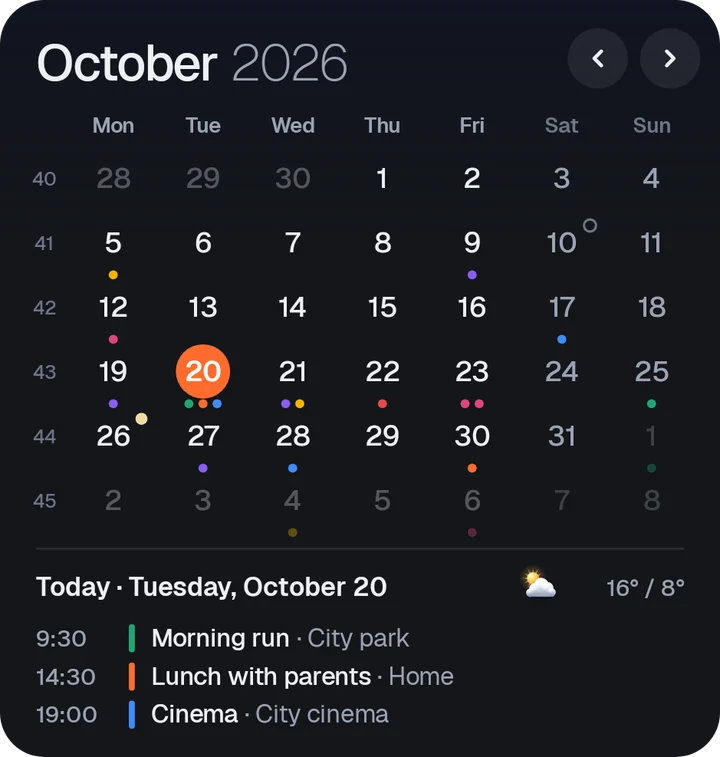
Events from your phone's calendar, with the weather next to each one. A countdown to the next event, public holidays, name days, full and new moon, and week numbers. Tap a day to see its plan.
World clocks
3 widgets · 4×2, 2×2, 4×1
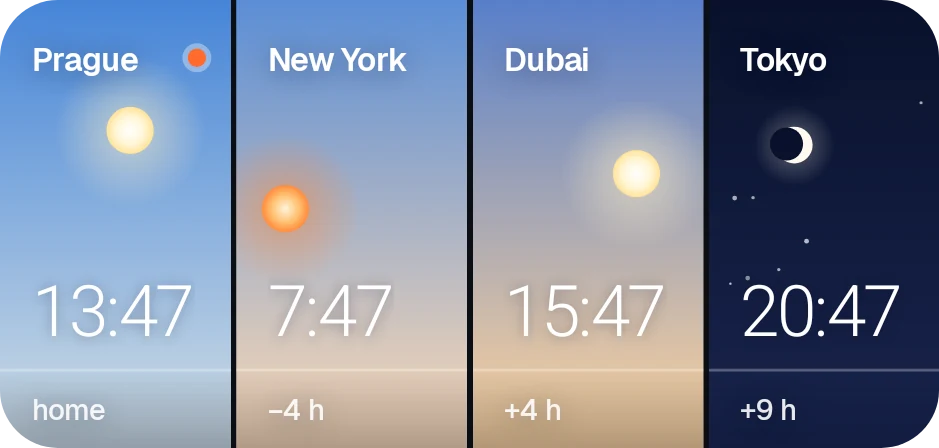
Up to four cities. Each one has its own time and its own sky, so you see at a glance where it is day and where it is night.
Moon phase
2 widgets · 4×2, 2×2
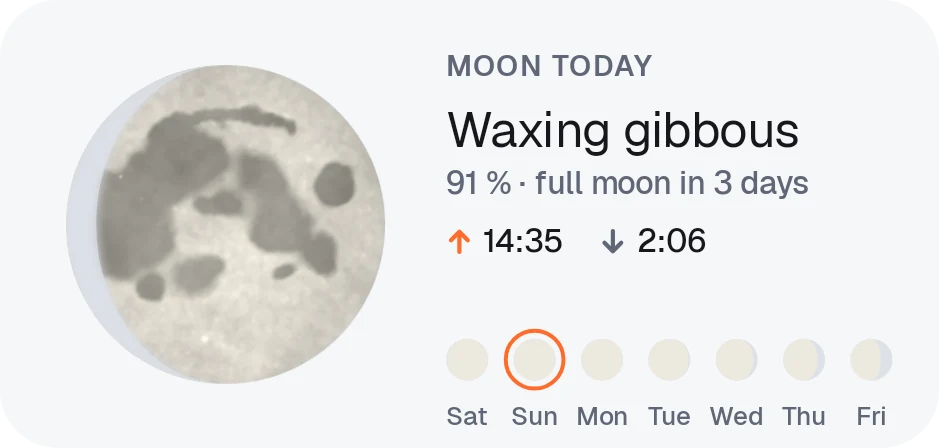
The real phase of the moon and how much of it is lit. Moonrise and moonset, and the phases for the next seven days.
Clocks
11 widgets · 2×2
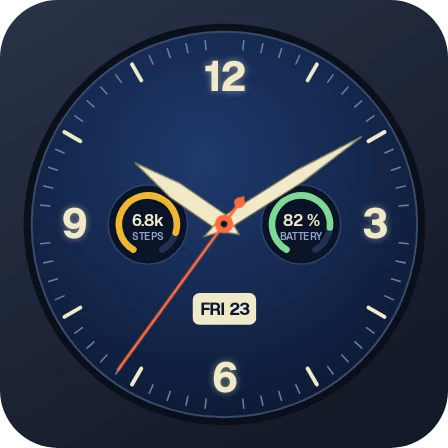
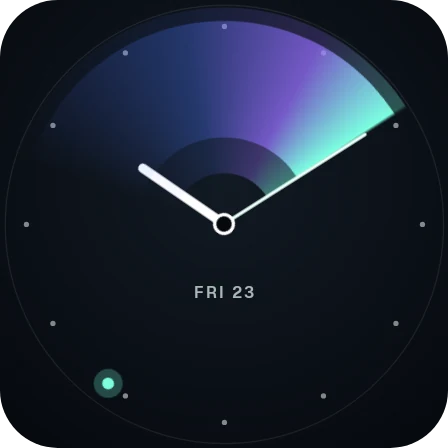
Eleven dials: a Pilot watch with steps and battery, Aurora with a trail of light, Liquid glass, a Shadow sundial, a 24-hour Day circle, Dots, Words, a Star clock with the real night sky, a watch, an orbit and an hourglass.
Steps and battery
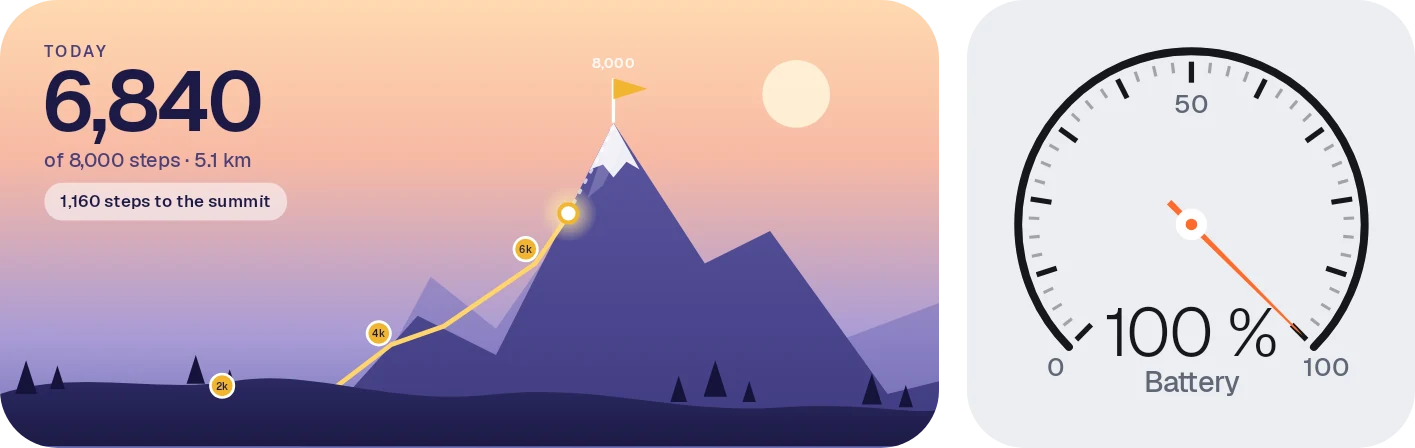
5 widgets · 4×2, 2×2
Finish line with a walker heading for the tape, Summit with a trail up the mountain and Week in dots, where every dot is 1,000 steps. Plus steps as a dial and the battery level.
What makes it different
Day and night, by themselves
The widgets switch between day and night at sunrise and sunset where you are. You can also keep them always light or always dark.
One look for the whole screen
Pick a colour tone and an accent colour once. Every widget uses them, so your home screen fits together.
Set for your country
Choose one of 15 countries for public holidays, name days where they are celebrated, and the usual formats: 24 or 12 hours, the first day of the week, °C or °F, and wind in km/h, m/s or mph.
Built to keep running
Some phones put apps to sleep to save battery, and widgets stop updating. A guide in the app shows the setting your phone needs, step by step.
Your calendar stays on your phone.
No account, no ads, no tracking. Your calendar events and your steps are read on the phone and never leave it. Only the weather comes from the internet: the app asks MET Norway for a forecast, using an approximate location rounded to about 1 km, or a city you choose. Nothing else is sent.
What Tomelo Widgets doesn't do
Better to hear it from us before you install.
- Android only. There is no iPhone version.
- No calendar editing. The calendar widgets show your phone's calendar. To add or change an event, use your calendar app.
- Weather needs the internet. To get a new forecast, the phone needs a connection.
Questions
My widgets stopped updating on a Samsung or Xiaomi phone. What now?
Open Tomelo Widgets and follow the guide “Keep widgets running”. Samsung, Xiaomi and some other phones put apps to sleep to save battery, and then widgets stop updating. The guide shows the battery setting your phone needs, step by step.
How do I add a widget?
Touch and hold an empty spot on your home screen and choose Widgets. Find Tomelo Widgets, then touch and hold the widget you want and drag it into place. The words differ a little from phone to phone.
Which languages and countries?
The app speaks English, German, Czech, French, Spanish, Italian, Polish, Dutch, Portuguese and Ukrainian. For public holidays, name days and formats you can choose Czechia, Slovakia, Poland, Germany, Austria, Switzerland, Hungary, France, Italy, Spain, the Netherlands, the United Kingdom, the United States, Brazil or Ukraine.
Does it need my location?
No. You can pick cities instead. If you allow approximate location, the weather and the sun times match the place where you are.
How much does it cost?
You pay once through Google Play. No subscription, no ads and no in-app purchases. Google Play shows the price in your currency.
When can I get it?
Now. Tomelo Widgets is on Google Play. It works on Android 12 and newer.
How do I get help?
Write to support@tomelo.app. A person reads every message. Payments and refunds go through Google Play.
One payment. No subscription, ever.
Tomelo Widgets is a one-time purchase through Google Play. No subscription, no ads, no in-app purchases.

Weather data: MET Norway (CC BY 4.0)